Device Setup Guide
TiviMate on ONN 4K Pro —
Complete IPTV Setup Guide
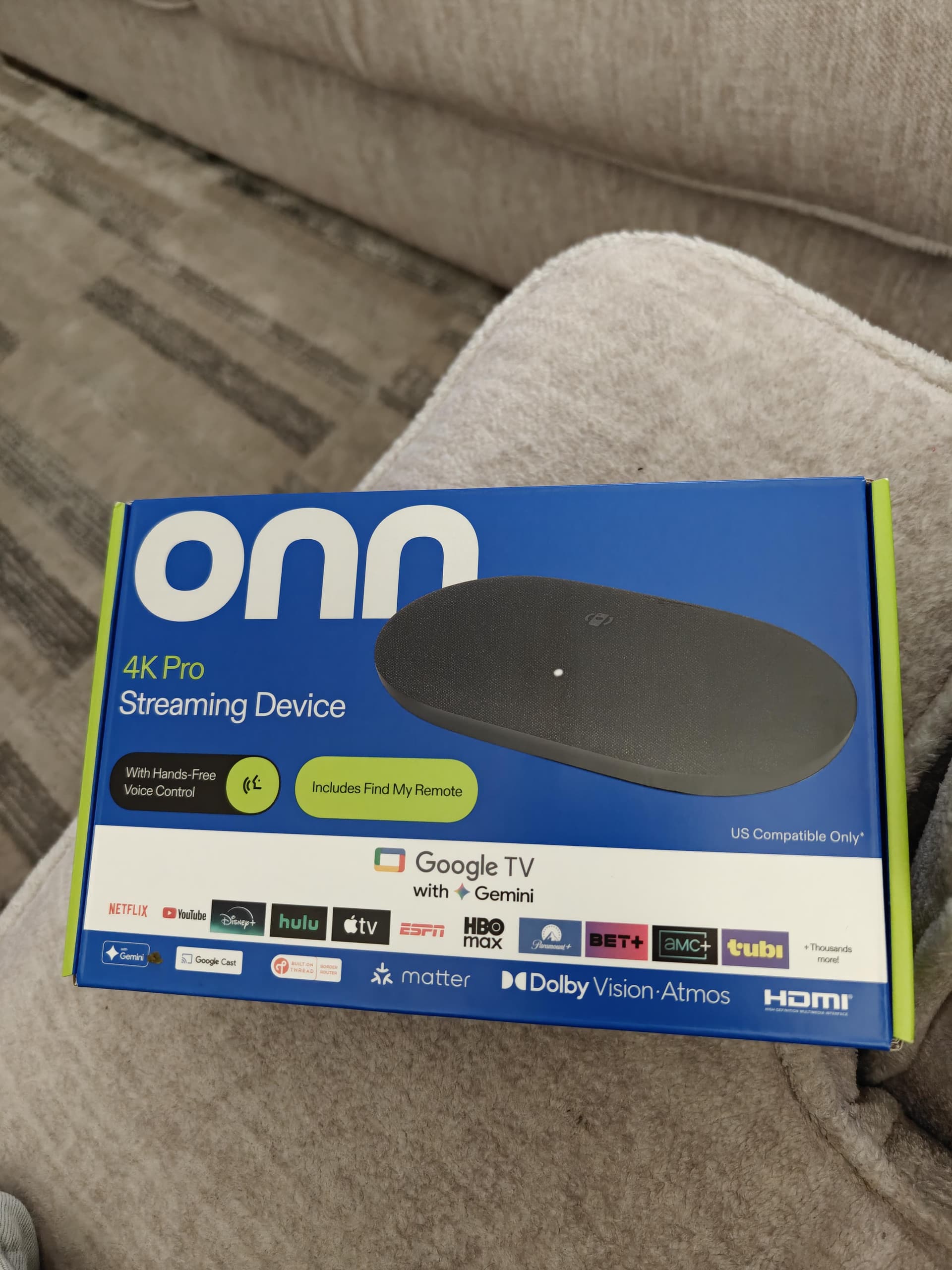
ONN 4K Pro Streaming Device
Walmart's ONN 4K Proruns Google TV with Gemini AI. It's the only budget streaming box in this price range with a built-in Ethernet port — which makes it the go-to device for buffer-free IPTV with TiviMate and Vivimate IPTV.
OS
Google TV with Gemini AI
Resolution
4K Ultra HD
HDR
Dolby Vision, HDR10, HDR10+
Audio
Dolby Atmos
Connectivity
Wi-Fi + Ethernet (LAN)
Ports
HDMI, USB-A, LAN, USB-C Power
Voice
Hands-Free Google Assistant + Gemini
Remote
Find My Remote feature
Smart Home
Matter support
Price
~$49.99 at Walmart
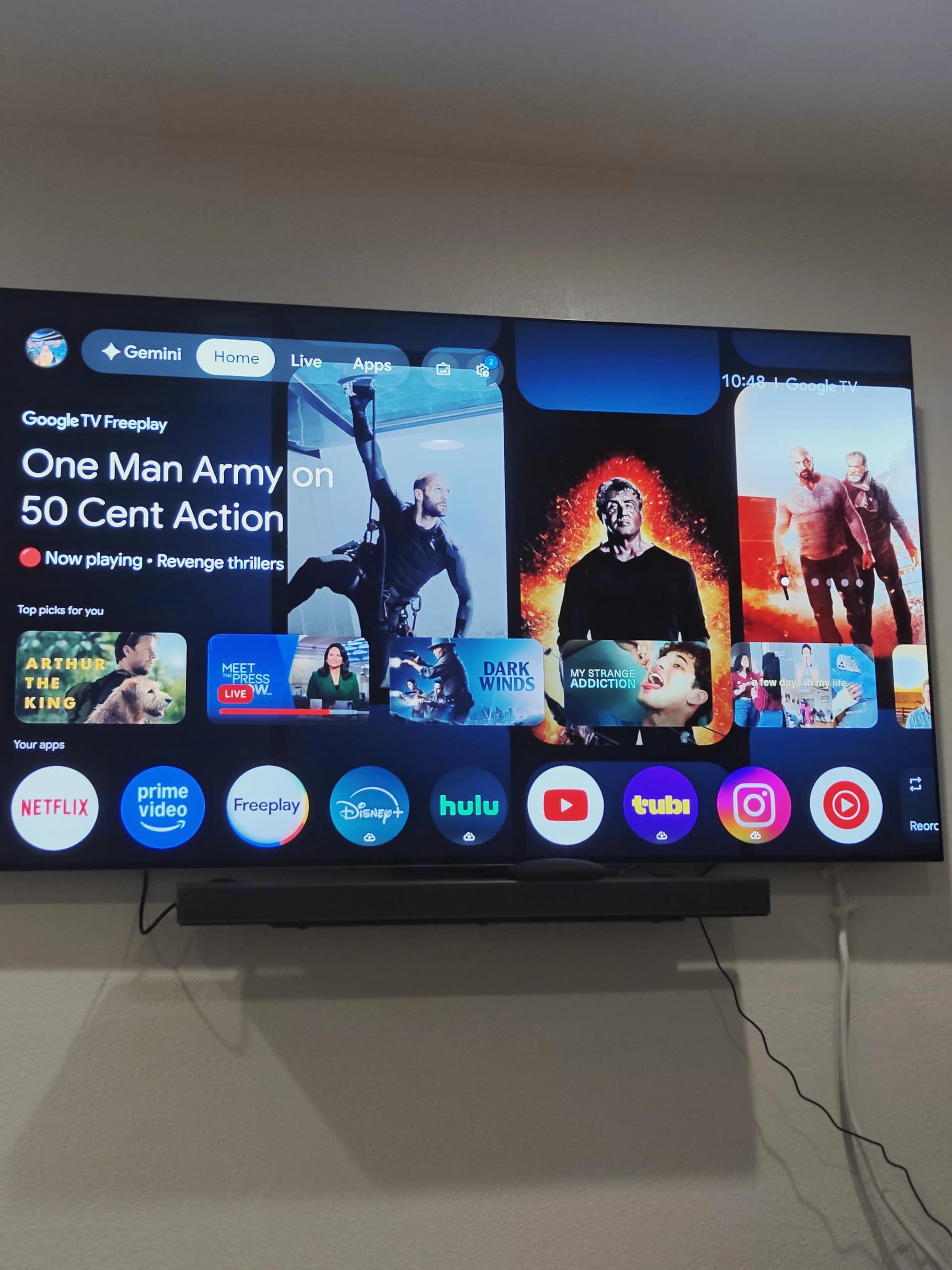
In the box: ONN 4K Pro, remote, HDMI cable, power adapter, quick start guide & batteries
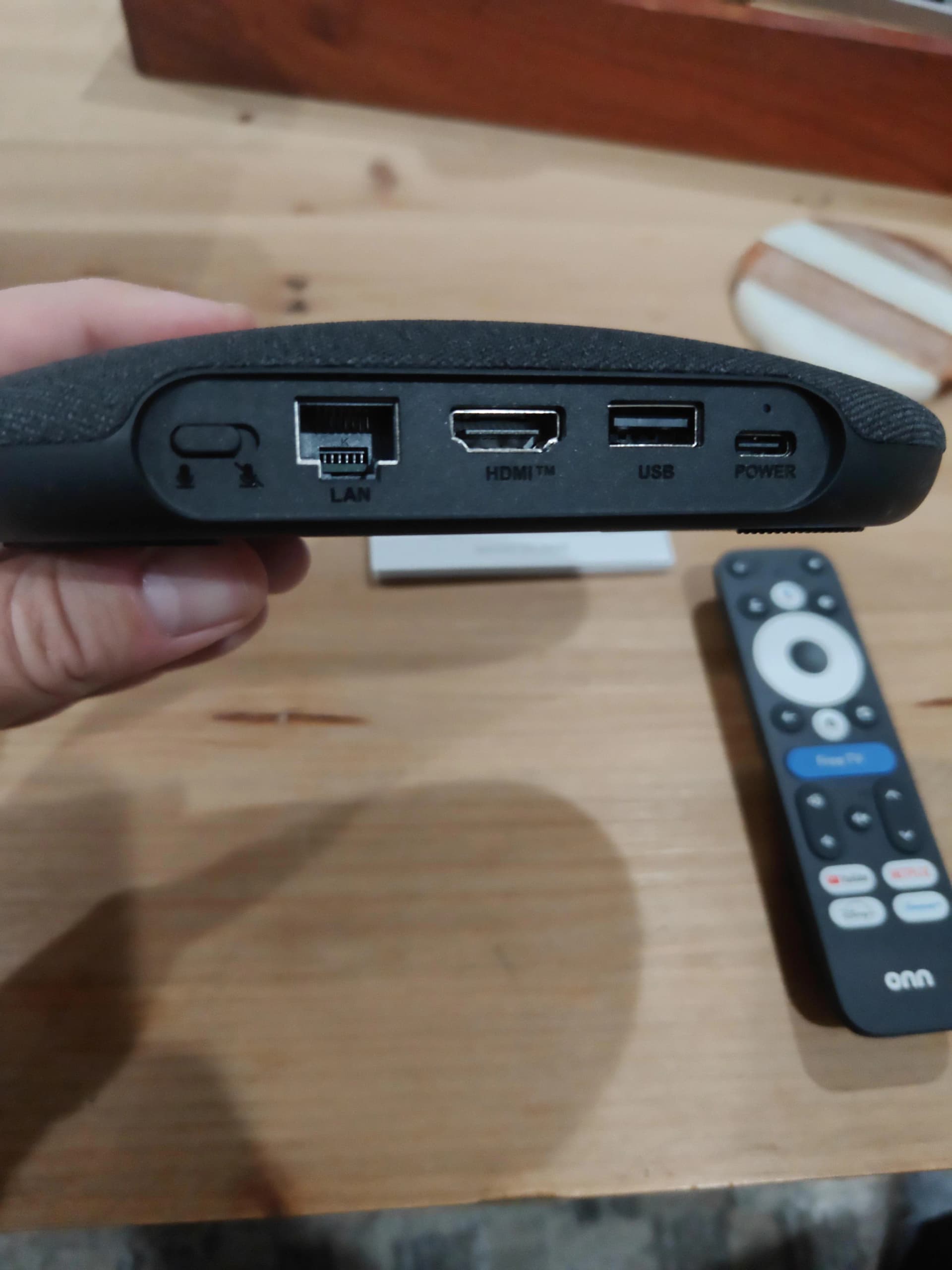
Ports: LAN (Ethernet), HDMI, USB-A & USB-C power — the LAN port is the key advantage for IPTV
Why ONN 4K Pro Excels for TiviMate IPTV
Any Android TV box can run TiviMate — but the ONN 4K Pro brings hardware advantages that specifically benefit IPTV users.
Built-in Ethernet Port
Unlike Firestick or Chromecast, the ONN 4K Pro has a LAN port for wired internet. Wired IPTV means zero buffering, even during 4K streams at peak hours.
Full Google TV
Runs Android TV at its core — TiviMate, IPTV Smarters Pro, and every major IPTV app install directly from the Google Play Store. No sideloading or workarounds needed.
Dolby Vision + Atmos
Vivimate IPTV delivers 4K UHD streams. The ONN 4K Pro supports Dolby Vision and Dolby Atmos, so you get reference picture quality and immersive audio on your TV.
Best Value Streaming Box
At around $49.99 from Walmart, the ONN 4K Pro punches well above its price — offering hardware features found on boxes costing twice as much, all while supporting every major IPTV app.
Hands-Free Voice Control
Search channels and control TiviMate with your voice via Google Assistant. Just say 'Hey Google' — no need to reach for the remote while you're locked into a game.
Find My Remote
Lost your remote mid-binge? Press the Find My Remote button on the ONN 4K Pro device itself. It's a small detail that pays off constantly — not available on Firestick.
ONN 4K Pro vs Firestick 4K — For IPTV
| Feature | ONN 4K Pro | Firestick 4K |
|---|---|---|
| Ethernet / LAN port | ✅ Built-in | ❌ Adapter needed |
| TiviMate from Play Store | ✅ Yes (Google TV) | ❌ Sideload required |
| 4K + Dolby Vision | ✅ Yes | ✅ Yes |
| Dolby Atmos | ✅ Yes | ✅ Yes |
| Price | ~$49.99 | ~$49.99 |
| OS | Google TV (Android) | Fire OS (Android) |
| Voice Assistant | Google / Gemini | Alexa |
| Find My Remote | ✅ Yes | ❌ No |
The built-in Ethernet port and native Google Play Store access give the ONN 4K Pro a clear edge for IPTV use.
How to Install TiviMate on ONN 4K Pro
Before starting, have your Vivimate IPTV credentials ready (Server URL, Username, Password) — get a free trial hereif you don't have an account yet.
Open Google Play Store on your ONN 4K Pro
From the Google TV home screen, navigate to the Apps row or press the dedicated Apps button on your remote. Open the Google Play Store — because the ONN 4K Pro runs full Google TV, TiviMate installs directly with no sideloading required.
Search for TiviMate and install
Use voice search or the on-screen keyboard to find "TiviMate IPTV Player". Select the app published by Artem Revenko and tap Install. On a solid broadband connection the download finishes in under a minute.
Open TiviMate and tap Add Playlist
Launch TiviMate from your apps list. On the welcome screen select "Add Playlist". When prompted, choose Xtream Codes API — this is the correct login method for Vivimate IPTV.
Enter your Vivimate IPTV credentials
Input the three credential fields sent by Vivimate IPTV: Server URL (e.g. http://server.vivimateiptv.com:port), Username, and Password. These arrive via WhatsApp shortly after subscribing.
Tap Add — channels load automatically
TiviMate connects to Vivimate IPTV servers and pulls your complete channel lineup, 7-day EPG, and full VOD library. First-load typically completes in 30–60 seconds.
Plug in Ethernet for best performance (recommended)
The ONN 4K Pro ships with a built-in LAN port — a major differentiator from the Firestick. Connect an Ethernet cable to your router for a wired connection that eliminates buffering on virtually any broadband plan.
Pro tip: Always use the Ethernet port
The ONN 4K Pro's built-in LAN port is its single biggest advantage for IPTV streaming. A direct Ethernet connection cuts buffering to zero and locks in rock-solid 4K quality — even during prime-time hours. If your router is within cable reach of your TV stand, always go wired.
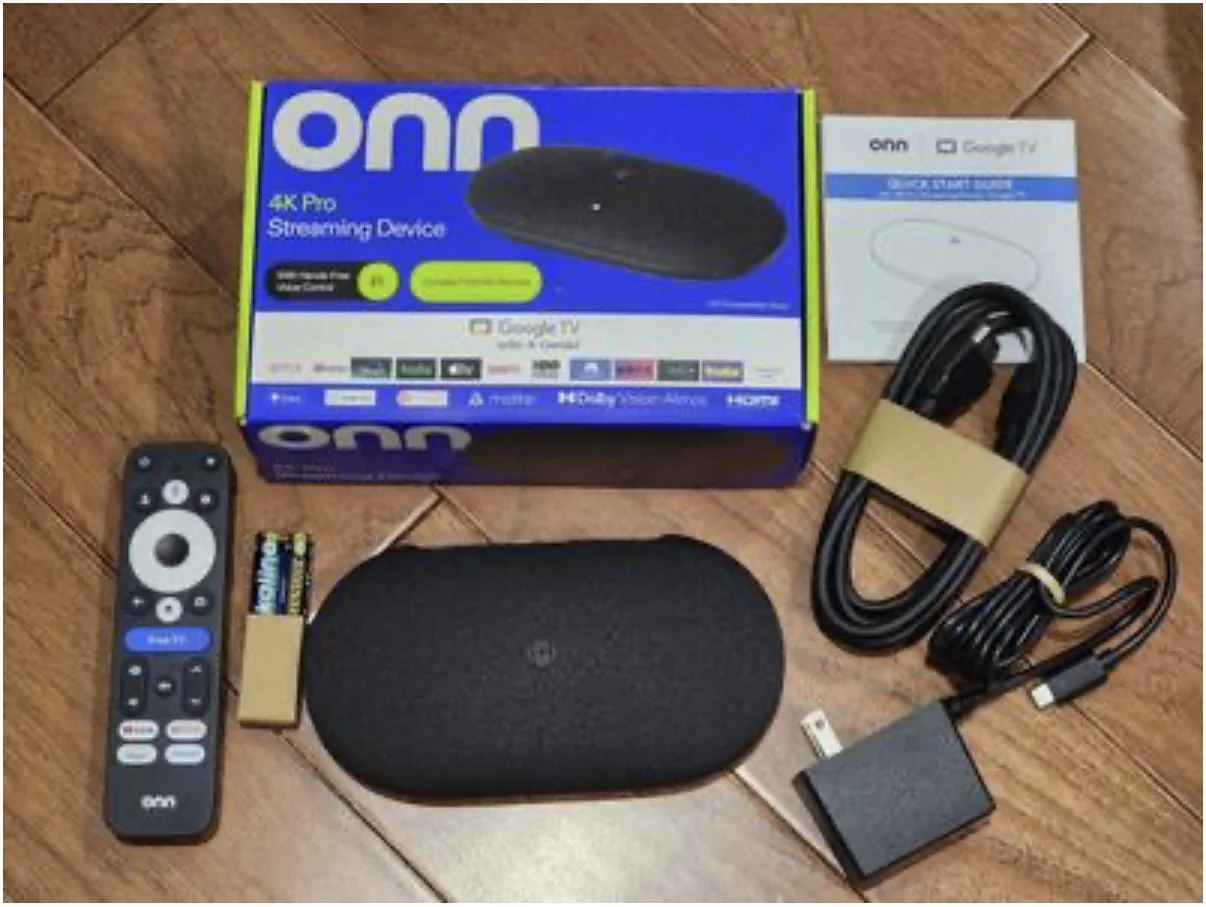
ONN 4K Pro running Google TV with Gemini AI — TiviMate installs from the Play Store and sits alongside all your streaming apps
TiviMate on ONN 4K Pro — Troubleshooting
TiviMate not found in Play Store
Confirm your ONN 4K Pro is signed in to a Google account. Search the full term "TiviMate IPTV Player" — searching just "TiviMate" may surface unrelated results at the top of the list.
Buffering during 4K streams
Connect the ONN 4K Pro to your router via Ethernet. If you must use Wi-Fi, switch to the 5GHz band and position the device closer to your router. In TiviMate, go to Settings → Player and increase the buffer size.
Vivimate credentials not working
Copy-paste your Server URL, Username, and Password directly from your WhatsApp message rather than typing manually. All fields are case-sensitive. Contact Vivimate IPTV support via WhatsApp if credentials need to be resent.
EPG guide not loading on ONN 4K Pro
EPG data takes 2–3 minutes to fully populate on first launch. In TiviMate, go to Settings → EPG and tap Refresh EPG. If this fails, verify your Vivimate IPTV subscription is active.
Black screen when playing channels
Navigate to TiviMate Settings → Player and cycle through ExoPlayer, ExoPlayer HW, and Soft Decoder. For 4K channels on ONN 4K Pro, ExoPlayer HW typically delivers the best result.
Frequently Asked Questions
Does TiviMate work on the ONN 4K Pro?
Yes. The ONN 4K Pro runs Google TV (Android TV), so TiviMate is available directly from the Google Play Store — no sideloading required. It runs flawlessly and supports 4K, Dolby Vision, EPG, and catch-up TV.
Is the ONN 4K Pro the same as ONN 4K Plus?
Walmart has released multiple ONN 4K streaming devices under different names. The current "ONN 4K Pro" (Google TV) is the flagship model with an Ethernet port and Gemini AI built in. TiviMate runs on all ONN 4K models.
Do I need TiviMate Premium on ONN 4K Pro?
The free version covers basic IPTV playback without issue. TiviMate Premium (~$4.99/year) unlocks catch-up TV, recordings, multiple playlists, and parental controls. For the complete Vivimate IPTV experience including VOD and catch-up, Premium is worth every cent.
Can I use IPTV Smarters Pro on ONN 4K Pro instead of TiviMate?
Yes — both apps are available via the Google Play Store on ONN 4K Pro. TiviMate generally wins on EPG quality and 4K performance. Check our IPTV Smarters Pro review for a complete comparison.
How many connections does Vivimate IPTV support on ONN 4K Pro?
Vivimate IPTV plans support multiple simultaneous connections depending on your selected plan. You can stream on your ONN 4K Pro and other household devices at the same time. Contact support via WhatsApp to confirm connection limits.
Related Setup Guides
Ready to Stream on Your ONN 4K Pro?
Get your Vivimate IPTV credentials and start watching 55,000+ live channels, NFL, NBA, soccer, PPV & 180,000+ VOD titles on your ONN 4K Pro via TiviMate — from just $19.99/month.
No credit card · Instant activation · Cancel anytime